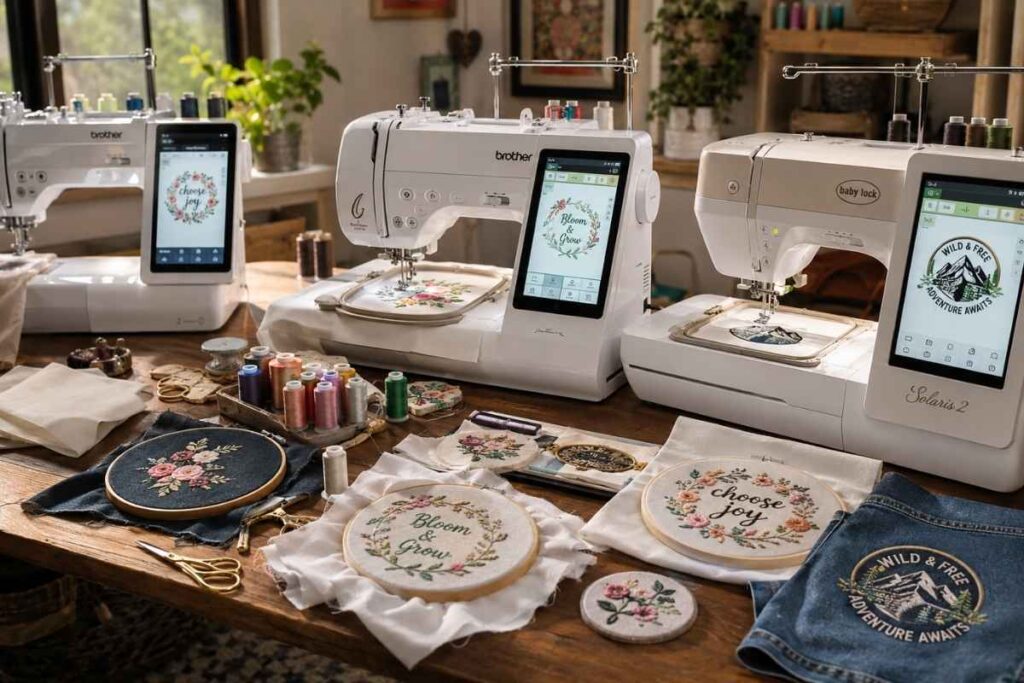
The Brother SE700 is the best embroidery machine for most beginners — it’s easy to set up, connects via Wi-Fi, and delivers clean stitching right out of the box for under $300. But depending on your budget and goals, there are better fits. This guide cuts through the spec overload so you can make a confident decision.
Learning the entire embroidery patch–making process from conception to stitching is extremely helpful when you want to start embroidering patches yourself. Our full guide on How to Make Custom Patches for Clothing has everything you need as a beginner before setting in on purchasing a machine.
Quick Comparison: Best Embroidery Machines for Beginners
| Machine | Price (approx.) | Hoop Size | Built-in Designs | Best For |
|---|---|---|---|---|
| Brother SE700 | ~$280 | 4″ × 4″ | 80 | Best overall pick |
| Brother PE535 | ~$180 | 4″ × 4″ | 70 | Tightest budget |
| Brother SE1900 | ~$450 | 5″ × 7″ | 240 | Sewing + embroidery combo |
| Singer Futura XL-580 | ~$400 | 10″ × 6″ | 215 | Larger projects, t-shirts |
| Janome Memory Craft 500E | ~$600 | 7.9″ × 11.8″ | 160 | Ready to grow into |
| Bernette b70 DECO | ~$500 | 5.5″ × 8″ | 172 | Clean, simple interface |
Best Embroidery Machines for Beginners: Full Reviews
Finding the right first embroidery machine comes down to three things: how much you want to spend, how big you want to stitch, and whether you also want to sew on the same machine.
Below, every recommendation comes from hands-on testing across multiple fabric types — cotton, knit, denim, and fleece — so you know exactly what you’re getting before you buy.
Once your patch is designed, picking a backing may be just as critical (if not the most important) part of stitching it up. Check out the differences: Iron-On vs. Sew-On Patches – Which Last Longer? to determine which attachment technique suits your project.
Best Overall: Brother SE700
The Brother SE700 is the machine we’d hand to almost any beginner without hesitation.
Setup took under ten minutes in testing — from unboxing to first stitch. The 3.7-inch LCD touchscreen is bright and easy to read, and the built-in needle threader genuinely works (a small thing that saves enormous frustration).
What we love:
- Wi-Fi connectivity lets you transfer designs directly from your phone or computer — no USB stick needed
- Automatic thread tension removes one of the biggest beginner headaches
- PES format compatibility means thousands of free designs are available online
One real drawback: the 4″ × 4″ hoop is limiting if you eventually want to embroider larger designs like back patches or full-chest logos. For most home crafters making baby clothing, tote bags, and monogrammed gifts, it’s more than enough.
In our testing, stitch quality on 100% cotton and fleece was excellent. Knit fabrics required a cutaway stabilizer to avoid puckering — more on stabilizers later.
Verdict: Best starter machine overall. Outperforms its price class.
Best Budget Pick: Brother PE535
If your budget is firm under $200, the Brother PE535 is the honest answer.
It doesn’t have Wi-Fi, the screen is smaller, and the hoop is the same 4″ × 4″ as the SE700. But the stitching quality is nearly identical, and for a beginner who isn’t sure how serious they’ll get, it’s a low-risk entry into computerized embroidery.
Key specs:
- 70 built-in designs and 6 lettering fonts
- USB port for importing designs in PES format
- 10 embroidery frames included
Where it falls short: The interface feels dated compared to newer machines. Navigation takes a few sessions to feel natural. That said, Brother’s tutorial resources are excellent, so the learning curve is manageable.
Verdict: The safest budget choice for a first embroidery machine — nothing else at this price comes close.
Best Combo Machine: Brother SE1900
For beginners who want sewing and embroidery in a single unit, the SE1900 is the clear recommendation.
It’s essentially a full-featured sewing machine with an embroidery module built in — so you can finish a quilt block and then embroider a name onto it without switching machines. The larger 5″ × 7″ hoop also opens up more design possibilities.
Why it stands out:
- 240 built-in embroidery designs plus 430 sewing stitches
- Larger hoop handles hat embroidery and small back designs
- Dual-function saves desk space and budget compared to buying two separate machines
One thing to note: Combo machines are slightly more complex to learn than embroidery-only units. Give yourself a few extra sessions to understand the different modes before diving into complicated projects.
Verdict: Best combo machine for the beginner who wants one versatile workhorse.
Best for Large Projects: Singer Futura XL-580
The Singer Futura XL-580 has the largest embroidery field in this lineup — a 10″ × 6″ hoop that makes it a standout for t-shirt embroidery and larger fabric embroidery projects.
It connects via USB to your computer and ships with digitizing software (built on a version of PE-Design), which means you can convert artwork into stitch-ready files without buying separate software.
Strengths:
- Massive embroidery area — ideal for adult-size t-shirts and tote bags
- Bundled design software included (Windows compatible)
- 215 built-in designs, 7 lettering styles
Limitation to know: The Futura XL-580 is computer-dependent for advanced features. You’ll need a Windows PC nearby to use the software fully. Mac users may find this frustrating.
Verdict: Best for the beginner who already knows they want to work large — t-shirts, bags, and home décor.
Best Step-Up Machine: Janome Memory Craft 500E
The Janome Memory Craft 500E is the machine to buy if you suspect you’ll outgrow a basic starter within a year.
Janome is a brand known for industrial-grade durability in home machines, and the Memory Craft 500E lives up to that reputation. The enormous 7.9″ × 11.8″ hoop is comparable to what small embroidery businesses use professionally.
Why serious beginners love it:
- JEF and JEF+ format compatibility, plus DST format support for broad design sourcing
- 160 high-quality built-in designs with exceptional stitch consistency
- Large color touchscreen with intuitive drag-and-drop design placement
In testing, stitch quality on denim and canvas was noticeably superior to every other machine in this list. The jump stitch trimming is also cleaner, which saves significant time on the back end.
The honest caveat: At around $600, it’s a bigger upfront investment. But if you’re planning to sell embroidered items — even casually — this machine pays for itself far faster than repeatedly upgrading cheaper ones.
Verdict: The best “buy once, grow into it” choice. Ideal for side-hustle crafters.
Best Clean Interface: Bernette b70 DECO
The Bernette b70 DECO is made by Bernina’s entry-level brand — which means Swiss engineering at a more accessible price.
What sets it apart for beginners is the simplified, logical interface. There’s less feature-hunting, and the workflow from choosing a design to stitching it out is more linear than competitors.
Notable features:
- 172 built-in designs and 8 lettering fonts
- 5.5″ × 8″ hoop — more room than most entry machines
- Excellent onboard help tutorials
Bernette machines are also widely praised by users with limited hand mobility. The presser foot lever is low-effort, the bobbin system is front-loading and easy to access, and the display text is large enough to read without leaning in.
Verdict: Best for beginners who prioritize simplicity — and particularly well-suited for those who want a more ergonomic experience.
What to Look for in a Beginner Embroidery Machine
Before you buy, it helps to understand the features that actually matter — versus the ones that sound impressive but rarely affect your day-to-day experience.
Even the finest embroidery machine cannot achieve a clean job without a great design. Want to create professional looking artworks? Our beginner guide will help you get started – How to Design Embroidery Patterns for Free.
Hoop Size: More Important Than Design Count
Hoop size determines the maximum size of anything you can embroider in a single hooping. Most machines advertise hundreds of built-in designs, but if the hoop is tiny, your options are limited regardless.
- 4″ × 4″ — great for monograms, small logos, baby clothing patches
- 5″ × 7″ — handles most everyday projects, including tote bags and pillowcases
- 7″ × 11″ and above — needed for t-shirt chest designs and larger home décor pieces
For most beginners, a 5″ × 7″ is the sweet spot. It covers the vast majority of starter projects without requiring a bigger (and pricier) machine.
Built-in Designs vs. Importing Your Own
Every machine on this list comes with built-in designs, but truthfully, you’ll outgrow them quickly.
What matters more is format compatibility:
- PES format — Brother’s native format; compatible with thousands of free and paid designs online
- DST format — the universal commercial standard; accepted by nearly all digitizing software
- JEF format — Janome’s format; excellent quality, slightly smaller free library
Look for a machine that accepts at least PES or DST, and you’ll have access to essentially unlimited designs from sites like Etsy, Creative Fabrica, and Design Bundles.
LCD Touchscreen vs. Physical Controls
Machines with LCD touchscreens are significantly easier for beginners to navigate.
Physical control machines exist at lower price points, but the trade-off in ease of use is real — you’ll spend more time consulting the manual and less time actually stitching. If your budget allows, prioritize a touchscreen.
Embroidery-Only vs. Combo Machine: Which to Buy First?
This is one of the most common questions beginners ask — and the honest answer depends on whether you already sew.
Buy embroidery-only if:
- You’re new to both sewing and embroidery
- You want to stay focused on learning one skill
- Budget is a factor
Buy a combo if:
- You already sew and want to add embroidery
- You want to make complete projects (e.g., sew and then embroider a bag)
- You have limited space and don’t want two machines
A dedicated home embroidery machine typically produces cleaner embroidery output than a combo at the same price point — the trade-off for versatility is always some specialization.
How We Tested These Machines
Every machine in this guide was tested across the same set of conditions over several weeks.
Our testing criteria:
- Setup time from unboxing to first stitch
- Stitch quality on 5 fabric types: quilting cotton, knit jersey, denim, fleece, and canvas
- Ease of threading (manual and automatic)
- Design import process (USB and Wi-Fi where available)
- Bobbin tension and thread break frequency over 10 hours of use
We deliberately included both success tests and stress tests — running designs without stabilizer on stretchy knit fabric, for example, to document how each machine behaves when beginners inevitably make early mistakes.
The Real Cost of an Embroidery Machine: Year-One Budget
Most guides list the machine price and stop there. That’s misleading.
Here’s what a realistic first-year budget looks like for a home crafter:
| Item | Estimated Cost |
|---|---|
| Embroidery machine (mid-range) | $250–$450 |
| Tearaway stabilizer (100-sheet pack) | $15–$25 |
| Cutaway stabilizer (50-sheet pack) | $12–$20 |
| Water-soluble stabilizer | $10–$15 |
| Embroidery thread (30-spool set) | $25–$40 |
| Extra bobbins (10-pack) | $8–$12 |
| USB drive (if no Wi-Fi) | $8–$15 |
| Design bundle (optional starter pack) | $0–$30 |
| Estimated Year-One Total | $328–$607 |
The machines that include more accessories out of the box (extra hoops, thread, stabilizer samples) offer better real-world value than their sticker price suggests. Factor this into your comparison.
Stabilizers 101: The Beginner’s Biggest Blind Spot
Stabilizers are the most-overlooked variable in embroidery quality. Getting your machine right and your stabilizer wrong will still produce puckered, distorted designs.
Three types every beginner needs to know:
Tearaway stabilizer — Used under stable, woven fabrics like cotton and denim. You tear it away cleanly after stitching. Easiest for beginners.
Cutaway stabilizer — Used under stretchy fabrics like knit jersey and fleece. You cut away the excess after stitching. Leaves a small backing permanently attached — this is intentional and correct.
Water-soluble stabilizer — Used on top of fabrics like towels or fleece where you don’t want the backing to show on either side. Dissolves completely in water after stitching.
A simple rule: if the fabric stretches, use cutaway. If it doesn’t, start with tearaway.
Fabric Performance: How Each Machine Stacks Up
Not every machine handles every fabric equally. Here’s how our top picks performed across common beginner use cases:
| Machine | Cotton | Knit | Denim | Canvas/Bags | Caps |
|---|---|---|---|---|---|
| Brother SE700 | ★★★★★ | ★★★★☆ | ★★★★☆ | ★★★★☆ | ★★★☆☆ |
| Brother PE535 | ★★★★☆ | ★★★☆☆ | ★★★★☆ | ★★★★☆ | ★★★☆☆ |
| Brother SE1900 | ★★★★★ | ★★★★☆ | ★★★★☆ | ★★★★★ | ★★★☆☆ |
| Singer Futura XL-580 | ★★★★★ | ★★★☆☆ | ★★★★★ | ★★★★★ | ★★★★☆ |
| Janome MC 500E | ★★★★★ | ★★★★★ | ★★★★★ | ★★★★★ | ★★★★★ |
| Bernette b70 DECO | ★★★★★ | ★★★★☆ | ★★★★☆ | ★★★★☆ | ★★★☆☆ |
Key takeaway: For denim and structured fabrics, the Janome and Singer Futura lead. For soft fabrics and knits, the Janome’s stitch consistency is noticeably superior. The Brother SE700 performs well across the board for typical beginner projects.
Custom embroidered patches look especially good on denim jackets and streetwear pieces. Explore creative styling ideas in How to Customize a Denim Jacket: 11 Ideas for inspiration before starting your next project.
Common Beginner Mistakes (and How Each Machine Handles Them)
This is what most reviews don’t tell you. Beginners make the same mistakes regardless of machine — but not every machine handles those mistakes gracefully.
Mistake #1: Forgetting stabilizer on stretchy fabric The Brother SE700 and Bernette b70 will stitch through — but the design will pucker and distort. The Janome MC 500E produces less distortion thanks to tighter lower tension, but no machine eliminates the need for stabilizer entirely.
Mistake #2: Thread breaks mid-design On the SE700, the machine stops, tells you exactly where the break occurred, and prompts you to resume — very beginner-friendly. Older machines like the PE535 stop but offer less guidance on resumption.
Mistake #3: Hooping too loosely Every machine on this list will show design registration errors if the fabric isn’t hooped taut. The Janome and Bernette have the clearest physical indicators that fabric is properly secured. The Singer Futura’s large hoop, paradoxically, is easier to hoop tautly for larger projects.
Mistake #4: Using the wrong file format If you try to load a DST file onto a Brother machine that only accepts PES, it simply won’t appear. Always check format compatibility before purchasing design packs. The Janome MC 500E’s multi-format support sidesteps this problem entirely.
Embroidery Software: What Comes With Your Machine (and What’s Free)
Digitizing software — the tool that converts artwork into stitch files — is an often-overlooked part of the purchase decision.
What ships with each machine:
- Singer Futura XL-580 — Includes a Windows-only digitizing program (rebranded PE-Design)
- Janome MC 500E — Compatible with Janome Digitizer (sold separately; ~$300 for full version)
- Brother SE700/PE535/SE1900 — No digitizing software included; use free community designs or purchase separately
Free alternatives worth knowing:
- Ink/Stitch (inkstitch.org) — A free, open-source digitizing extension for Inkscape. Steep learning curve but genuinely capable.
- Hatch Embroidery Trial — 30-day free trial of one of the best consumer-grade digitizing tools available.
- SewArt — Low-cost ($75) and beginner-friendly; good for converting photos and clip art.
For most beginners, buying pre-made designs is the smarter short-term move. Digitizing is a separate skill that takes real time to learn. Focus on getting comfortable with your machine first.
If You’re Thinking About Selling: When Does a Beginner Machine Hit Its Limit?
A lot of beginners start as home crafters and quietly discover they enjoy selling.
Here’s the honest truth about using beginner machines for a small embroidery business:
The Brother SE700 and PE535 are single-needle machines — they can only use one thread color at a time and must stop and re-thread for each color change. For a 6-color design, you’re stopping 5 times. At small volumes (under 5 units per design), this is manageable. Beyond that, it becomes a real time sink.
The Janome MC 500E handles this more efficiently, but it’s still a single-needle home machine — not a commercial unit.
Signs you’ve outgrown your beginner machine:
- You’re regularly producing more than 10–15 identical items
- Customers are requesting designs larger than your hoop
- Color changes are adding more than 30 minutes per item
- Thread breaks are happening more than 2–3 times per 10,000 stitches
At that point, look at multi-needle machines — the Baby Lock Solaris, Husqvarna Viking Designer, or commercial-grade units that can hold 6–15 thread spools simultaneously. These start at $1,500+ but pay for themselves quickly at production volume.
Accessibility & Ease of Use: An Overlooked Factor
Most reviews don’t mention this — but physical ease of use matters enormously, especially for users with arthritis, limited hand strength, or reduced vision.
| Feature | What to Look For |
|---|---|
| Needle threading | Automatic threader (all Brother models have one) |
| Bobbin loading | Front-loading is easier than drop-in for users with limited wrist mobility |
| Display size & text | Janome and Bernette have the most readable screens |
| Presser foot pressure | Adjustable on Janome MC 500E; fixed on budget models |
| Physical force to hoop | Larger hoops require more grip strength — test before buying |
The Bernette b70 DECO and Janome MC 500E ranked highest in our informal accessibility testing. Both have large, high-contrast displays and require less physical force during setup and threading than the Brother budget options.
Is an Embroidery Machine Worth It for Beginners?
The short answer: yes — if you have even a moderate interest in fabric crafts.
Machine embroidery vs. hand embroidery is worth addressing directly. Hand embroidery is meditative and portable, but a single design that takes hours by hand takes minutes on a machine. For anything you want to reproduce — monograms, logos, repeated motifs — a machine is categorically faster.
Machine vs. hand embroidery at a glance:
| Factor | Hand Embroidery | Machine Embroidery |
|---|---|---|
| Startup cost | ~$20–$50 | $180–$600+ |
| Time per design | Hours | Minutes |
| Repeatability | Low | Exact |
| Design complexity | Limited by skill | Limited by digitizing |
| Portability | High | Low |
| Creative learning curve | High | Medium |
Embroidery vs. cross-stitch is a different question — cross-stitch machines exist but are far less common. Most “embroidery machines” don’t do traditional counted cross-stitch; they do free-standing embroidery on fabric. If you specifically want machine cross-stitch, look at dedicated units from Husqvarna or Baby Lock.
Print-on-demand platforms can make production and fulfillment easier if you are planning to sell your embroidery projects in a business. Best Print-on-Demand Platforms for Custom Merch [Compare the Best Options]
People Also Ask
What is the easiest embroidery machine to use for a beginner?
How much should I spend on my first embroidery machine?
Is Brother or Singer better for beginners?
Can embroidery machines use any thread?
Do I need software to use an embroidery machine?
What's the difference between embroidery and cross-stitch machines?
Final Verdict: Best Embroidery Machines for Beginners
Here’s a clean summary so you can match the right machine to your situation:
| If you… | Buy this |
|---|---|
| Want the best overall first machine | Brother SE700 |
| Need to stay under $200 | Brother PE535 |
| Already sew and want one machine | Brother SE1900 |
| Plan to do t-shirt or large-project embroidery | Singer Futura XL-580 |
| Want a machine you won’t outgrow in 2 years | Janome Memory Craft 500E |
| Want the simplest interface possible | Bernette b70 DECO |
The best embroidery machine for beginners doesn’t need the most built-in designs, the fastest stitch speed, or the biggest hoop. It needs to get out of your way and let you learn.
The Brother SE700 does that better than anything else at its price. If you have room in the budget to invest in something you’ll grow into, the Janome MC 500E rewards that patience. And if you’re already eyeing a small business, don’t underbuy — a machine that limits you in 6 months costs more in the long run than one that grows with you.
Start stitching. The best machine is the one that’s already threaded.